
SAML 2.0
SAML-based single sign-on (SSO) gives users access to their Federated Directory through an identity provider (IDP) of your choice.
Authentication
If your identity provider of choice does not have a ready made integration with us, you have the option to use a custom SAML connection.
Enabling this, is as easy as selecting SAML 2.0 from the authentication settings on a directory.
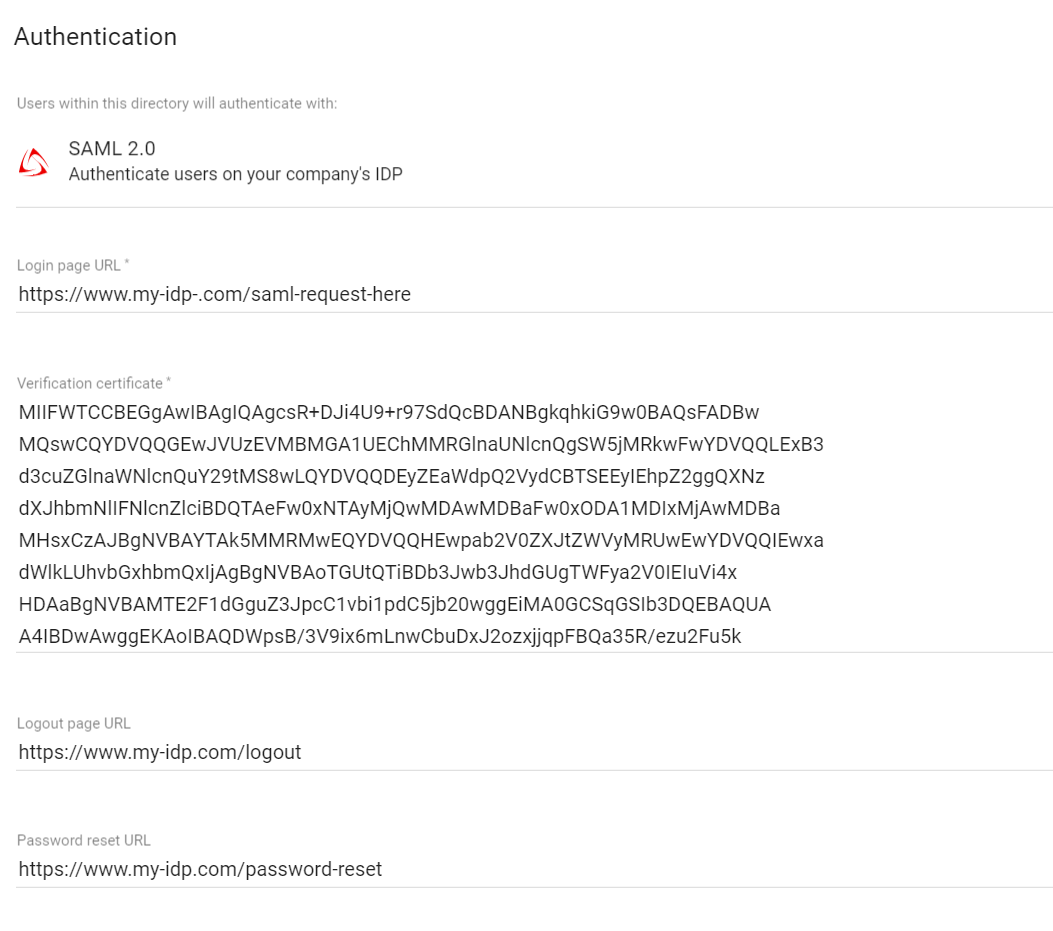
| Input | Description |
|---|---|
| Login page URL | Required. SAML request will be send to this URL of your identity provider |
| Verification certificate | Required. The SAML response must be signed, and you will need to paste a valid X.509 formatted certificate to verify your identity. |
| Logout page URL | Optional. Your users will be redirected to this URL after they log out. |
During the authentication process we map the users id (nameID) with the userName of this user within our directory. We only allow access to those users we know. Make sure the users ID is immutable and unique.
| SAML Response | Federated Directory | |
|---|---|---|
| Attribute | nameID | userName ️️ |
Parameters
Follow these parameters to configure your SAML connection: (You can find the id of your directory under the 'Settings' tab)
| Parameter | Description |
|---|---|
| Login flows | We support the Identity Provider (IDP) Initiated flow and the Service Provider (SP) Initiated flow. For SP-Initiated single sign-on, go to https://www.federated.directory/of/<your-short-company-name>/login/<directory ID> |
| Assertion Consumer Service URL | Also known as the SSO post-back URL: https://api.federated.directory/v2/Login/Saml2/<directory ID>/Acs |
| Entity ID | federated.directory/<directory ID> |
| Protocol binding | urn:oasis:names:tc:SAML:2.0:bindings:HTTP-POST |
| Name ID | Any immutable and unique user Id that is present on the userName attribute on a user within your directory |
| Name format | urn:oasis:names:tc:SAML:1.1:nameid-format:unspecified |
Your IDP must ensure a user is both authenticated and authorized before sending an assertion. If a user isn't authorized, assertions should not be sent. We recommend your IDP redirect a user to an HTTP 403 page or something similar.
SAML Request example
<samlp:AuthnRequest
    xmlns:samlp="urn:oasis:names:tc:SAML:2.0:protocol"
    ID="_2f71f210df710336cf6b"
    Version="2.0"
    IssueInstant="2017-10-14T07:25:00.039Z"
    ProtocolBinding="urn:oasis:names:tc:SAML:2.0:bindings:HTTP-POST"
    AssertionConsumerServiceURL="https://api.federated.directory/v2/Login/Saml2/59ed5f10-5ca4-11d7-a566-6bb3338641dc/Acs"
    Destination="https://www.my-idp.com/http-redirect">
    <saml:Issuer
        xmlns:saml="urn:oasis:names:tc:SAML:2.0:assertion">
        federated.directory/59ed5f10-5ca4-11d7-a566-6bb3338641dc
    </saml:Issuer>
    <samlp:NameIDPolicy
        xmlns:samlp="urn:oasis:names:tc:SAML:2.0:protocol"
        Format="urn:oasis:names:tc:SAML:1.1:nameid-format:unspecified"
        AllowCreate="true" />
</samlp:AuthnRequest>
Automatic user management
A SAML integration delivers SSO for your users. It can be combined with any of the user management options we offer. Just make sure the userName of the user is filled properly.